
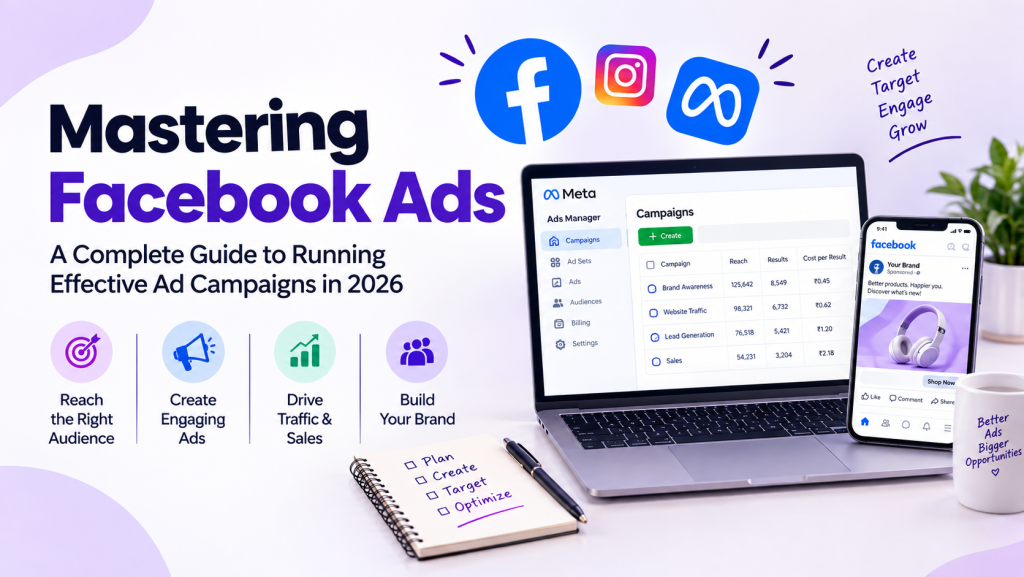
Mastering Facebook Ads: A Complete Guide to Running Effective Ad Campaigns in 2026
Mastering Facebook Ads: A Complete Guide to Running Effective Ad Campaigns in 2026 Most businesses start on Facebook the same way. They create a Page, post regularly, and wait for customers to notice. Some do. Many find that posting alone brings a trickle of attention, mostly from people who already know them. Paid advertising changes the equation. Instead of hoping the right people find you, you can choose who sees your message, what you want them to do, and how much you’re willing to spend to get that result. That’s the promise behind Facebook Ads, and also the reason it’s easy to waste money when you don’t understand the mechanics. So how can a business turn Facebook’s huge audience into real opportunities, such as enquiries, bookings or sales? It comes down to planning, testing and reading the data honestly. This guide walks through it step by step. What Are Facebook Ads? Facebook Ads are paid messages that appear in places like the Facebook Feed, Stories, Reels, Marketplace and the right column on desktop. Advertisers create them in a tool called Ads Manager, and they can also appear on Instagram and other Meta platforms. Organic content is what you post on your Page for free. It reaches some followers, but you don’t control who sees it. Paid ads are distributed to audiences you define, toward a goal you choose. The process is simple in concept: You pick an objective (for example, leads). You define an audience. You upload a creative with copy and a button. Facebook shows the ad to people it predicts are most likely to respond, and you pay based on your chosen setup. A yoga studio might post class photos organically. It could then run an ad, aimed at people within five kilometres, offering a free trial class. How Do Facebook Ads Work? Think of the process as a chain: Business Goal → Campaign Objective → Audience → Ad Creative → Budget → Ad Auction → Ad Delivery → Measurement → Optimization Each account is organized into three levels: Campaign: the objective (sales, leads, traffic). Ad set: the audience, budget, schedule, placements and how you want to optimize. Ad: the visual, text, headline and call to action. Every time someone opens the app, an ad auction runs. Facebook doesn’t just choose the highest bid. It weighs your bid, how likely the person is to take your desired action, and the quality of your ad. That’s why a relevant ad can outperform a bigger budget. Example: A bakery creates a campaign for “Leads.” One ad set targets local couples aged 25–35 planning weddings, with a daily budget. Inside it are three ads: a cake photo, a short video, and a carousel of designs. Facebook tests them and gradually delivers more of whichever gets better responses. Placements are where the ad appears. Bidding tells Facebook how to spend your money. Optimization is the system learning who is likely to convert, plus your own adjustments. Explore Facebook Ads Training Why Are Facebook Ads Important in 2026? Facebook advertising remains relevant for a practical reason: it puts your message in a place where people already spend time, and it lets you measure what happens next. Targeted advertising. You can reach specific locations, age groups and interests, and reconnect with people who’ve already engaged. Lead generation and e-commerce. Ads can drive enquiry forms, messages and product purchases. Brand awareness. Video and Reels help new audiences discover you. Retargeting. You can follow up with website visitors and video viewers. Customer acquisition. Businesses can test which messages attract buyers and at what cost. Mobile-first and video-first. Most people scroll on phones, so vertical, quick-loading video suits the environment. Data-driven marketing. You see costs and results, not just likes. AI-assisted workflows. Meta’s tools increasingly automate audience selection, placements and creative variations. One trend worth knowing about: in 2026, Meta’s automation (branded as Advantage+) makes more decisions than it used to. Manual interest targeting still exists, but Meta often treats it as guidance rather than a strict rule. That doesn’t make marketers unnecessary. It shifts the work toward creative quality, offers and accurate tracking. Facebook Ads vs Organic Facebook Marketing Organic Facebook Marketing Facebook Ads Distribution Free, limited reach Paid, controlled Purpose Community, trust, consistency Specific campaign goals Audience Mostly existing followers Defined target groups Speed Gradual Faster exposure Measurement Engagement Objective-based performance You don’t need to choose. Organic posts build credibility and show new visitors that your business is real. Ads extend the reach of what works. A Page that looks abandoned weakens even a good ad, and a great Page without ads grows slowly. Facebook Ads Campaign Objectives An objective tells Facebook what result to optimize for. The main ones: Objective What it means Who might use it Typical goal Example Awareness Show ads to people likely to remember them New brands, product launches Reach and recall A new juice brand introduces itself locally Traffic Send people to a site or app Blogs, publishers, stores Website visits A travel blogger promotes a guide Engagement Drive interactions or messages Community builders, service businesses Comments, video views, chats A salon gets WhatsApp enquiries Leads Collect contact details Coaches, agencies, real estate Enquiries, sign-ups A tutor gathers demo class bookings App promotion Encourage installs or in-app actions App developers Installs, sign-ups A fitness app seeks new users Sales Drive purchases E-commerce stores Orders and revenue A shoe store promotes a new collection The objective should reflect your real goal. If you want purchases but choose traffic, Facebook may find people who click a lot but rarely buy. Understanding Facebook Ads Manager Ads Manager is the dashboard where you create, edit and track your campaigns. As a beginner, focus on these areas: Campaigns, Ad Sets and Ads tabs: the three levels you’ll navigate daily. Audiences: where you save custom audiences, lookalikes and location groups. Billing: where you manage payment methods and view spend and invoices. Reporting: where you build views by date, placement, age and more. Performance metrics: