

Best Laptop Under ₹70,000 in India (2026): Top 5 Picks for Students, Professionals & Creators
Introduction Buying a new laptop can feel confusing. There are so many brands, so many specs, and so many “best laptop” lists online. If you are searching for the best laptops under ₹70,000 in India, you are probably trying to find one machine that can handle college assignments, office work, video calls, light editing, and everyday browsing — all without breaking your budget.
The good news is that ₹70,000 is a sweet spot in the Indian laptop market right now. At this price, you get modern processors, fast SSD storage, full HD displays, and enough RAM to multitask comfortably. You no longer need to spend ₹1,00,000 or more to get a reliable, fast, and long-lasting laptop.
In this guide, we have shortlisted five laptops that genuinely deliver value for students, working professionals, freelancers, bloggers, and content creators. Each pick has been chosen based on real-world usability, not just spec sheets. Whether you need something for office work, online classes, coding, or light content creation, this list has an option for you.
Let’s get started.
Comparison Table
| Laptop | Processor | RAM | SSD | Best For |
|---|---|---|---|---|
| ASUS Vivobook 15 | Intel Core i5-13420H | 16GB | 512GB | Overall Daily Use |
| Dell 15 SmartChoice | Intel Core i5-1334U | 16GB | 1TB | Multitasking & Smooth Display |
| Lenovo IdeaPad Slim 3 | AMD Ryzen 5 7520U | 16GB LPDDR5 | 512GB | Students & Portability |
| HP 15 | Intel Core 5-120U | 8GB | 512GB | Budget Buyers |
| HP Victus | Intel Core i5-13420H + RTX 2050 | 16GB | 512GB | Content Creators & Light Gaming |
1. ASUS Vivobook 15

ASUS Vivobook 15, Smartchoice,Intel Core i5 13th Gen 13420H,16GB RAM, 512GB SSD, FHD 15.6",Windows 11, Office Home 2024, Quiet Blue, 1.70 kg, X1502VA-BQ836WS,Intel UHD iGPU, M365 Basic (1Year)* Laptop


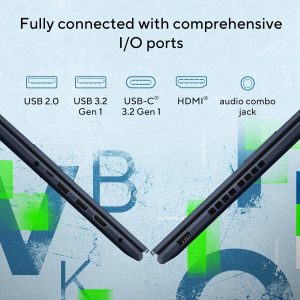

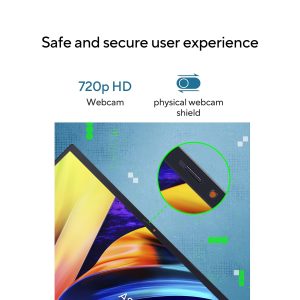
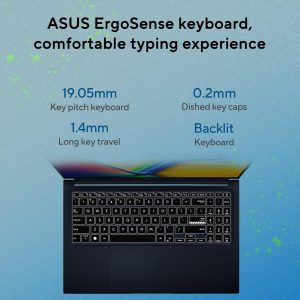
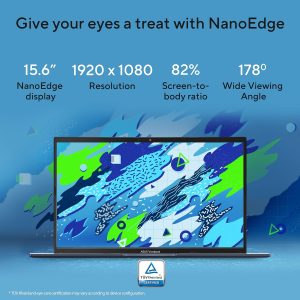
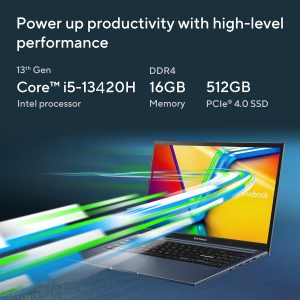
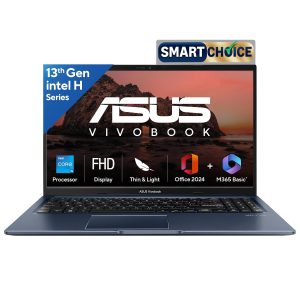
The ASUS Vivobook 15 is one of the most balanced laptops you can buy under ₹70,000 right now. It comes with a 13th Gen Intel Core i5-13420H processor, which is genuinely quick for everyday tasks like browsing with multiple tabs open, video calls, document editing, and even light photo editing.
Why We Recommend It
This laptop strikes a great balance between performance and price. The 13th Gen processor is a step above what most laptops offer in this budget, and it comes bundled with 16GB RAM and a fast 512GB SSD. That combination means quick boot times, fast app switching, and smooth performance even when you have several programs running together.
Best For
Working professionals, college students, and anyone who wants a laptop that can handle office work, online classes, and moderate multitasking without slowing down.
Key Features
- Intel Core i5-13420H processor (13th Gen)
- 16GB RAM for smooth multitasking
- 512GB SSD for fast storage and quick file access
- Windows 11 pre-installed
- Office Home 2024 included
- Backlit keyboard for low-light typing
Why It Stands Out
What makes the Vivobook 15 stand out is the newer generation processor. Many laptops in this price range still use older chips, but ASUS has managed to fit in a 13th Gen CPU, which noticeably improves speed and efficiency. The backlit keyboard is also a thoughtful addition, since it makes late-night work or study sessions much easier on the eyes. If you want one laptop that handles almost everything you throw at it — from spreadsheets to streaming to casual editing — this is the safest bet.
2. Dell 15 SmartChoice

Dell 15 SmartChoice (Previously Inspiron), Intel 13th Gen Core i5-1334U, 16GB, 1TB SSD, FHD,15.6"/39.62cm, Win 11, MSO'24, Silver, 1.62kg, [Dell 15], 12 Month McAfee, Backlit KB, Thin & Light Laptop

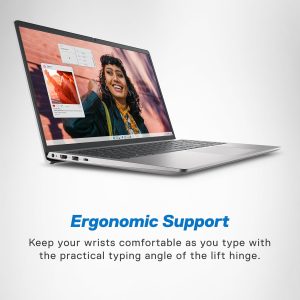

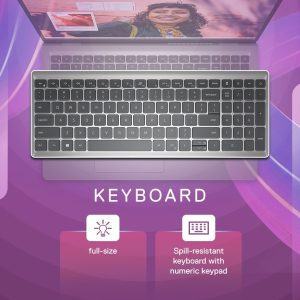
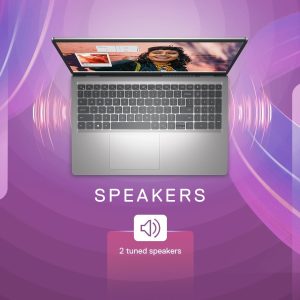

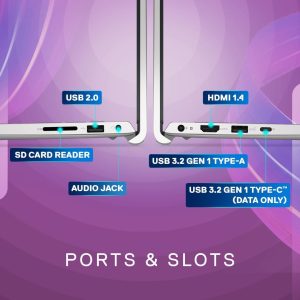
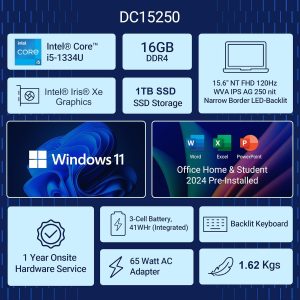
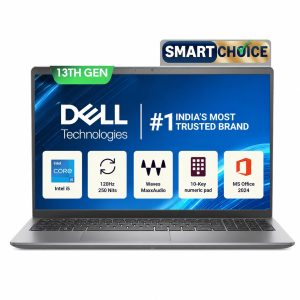
Dell has a strong reputation for build quality, and the Dell 15 SmartChoice brings that same reliability to the sub-₹70,000 segment. It runs on an Intel Core i5-1334U processor, which is designed for efficient, low-power performance, making it ideal for people who work for long hours without wanting the laptop to heat up or drain the battery too fast.
Why We Recommend It
This laptop is built for people who want a bigger storage option and a smoother visual experience. With a massive 1TB SSD, you will rarely run out of storage space, even if you store large files, project folders, or media libraries. The standout feature here is the 120Hz display, which makes scrolling, browsing, and video playback noticeably smoother compared to standard 60Hz screens.
Best For
Professionals who handle large files, freelancers who need extra storage, and anyone who wants a smoother, faster-feeling screen for daily use.
Key Features
- Intel Core i5-1334U processor
- 16GB RAM
- 1TB SSD storage
- 120Hz refresh rate display
- Windows 11 with Office Home 2024
Why It Stands Out
The 120Hz display is the real differentiator here. Most laptops under this budget stick to a standard 60Hz panel, but Dell has included a faster refresh rate that makes the entire experience feel snappier, whether you are scrolling through a webpage or watching a video. Combined with 1TB of SSD storage, this laptop is a strong pick for anyone who deals with large files regularly, such as freelancers managing multiple client projects or professionals who need extra space for reports, presentations, and backups.
3. Lenovo IdeaPad Slim 3

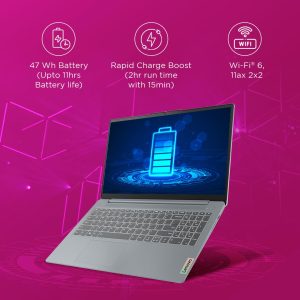
Lenovo Ideapad Slim 3 AMD Ryzen 5 7520U 15.6" (39.6cm) FHD Thin and Light Laptop (16GB/512GB SSD/Windows 11/Microsoft 365 Basic* + Office Home 2024/Backlit Keyboard/Grey/1.6Kg), 82XQ00XDIN
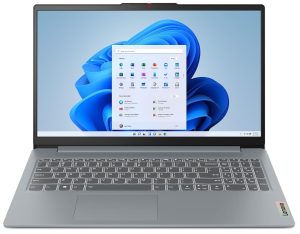
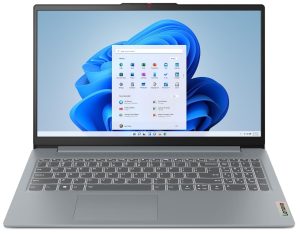

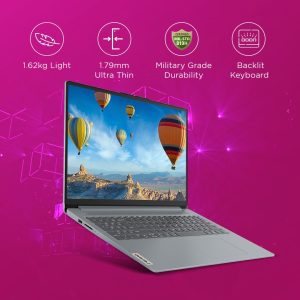



If portability matters to you, the Lenovo IdeaPad 3 deserves your attention. It is powered by an AMD Ryzen 5 7520U processor paired with 16GB of LPDDR5 RAM, a combination known for delivering strong performance while keeping power consumption low.
Why We Recommend It
Students and people who commute often need a laptop that is light to carry and quick to start up. The IdeaPad Slim 3 checks both boxes. The Ryzen 5 processor handles daily tasks like web browsing, note-taking, and video streaming with ease, and the LPDDR5 RAM helps the system feel responsive even during multitasking.
Best For
College students, people who travel frequently, and anyone who prioritizes a lightweight, portable design without giving up performance.
Key Features
- AMD Ryzen 5 7520U processor
- 16GB LPDDR5 RAM
- 512GB SSD storage
- Backlit keyboard
- Office Home 2024 included
Why It Stands Out
The use of LPDDR5 RAM instead of the standard DDR4 found in many budget laptops is a meaningful upgrade. LPDDR5 offers better speed and improved battery efficiency, which means longer usage time between charges — a big advantage for students who are on campus all day or professionals who work from cafes and co-working spaces. The Ryzen 5 chip also handles everyday multitasking smoothly, making this laptop a great companion for note-taking apps, browser-heavy research, and streaming lectures or tutorials.
4. HP 15

HP 15, AMD Ryzen 3 7320U (8GB LPDDR5, 512GB SSD) FHD, Anti-Glare, Micro-Edge, 15.6''/39.6cm, Win11, M365 Basic(1yr)* Office24, Silver, 1.59kg, fc0500AU, FHD Camera w/Privacy Shutter Laptop


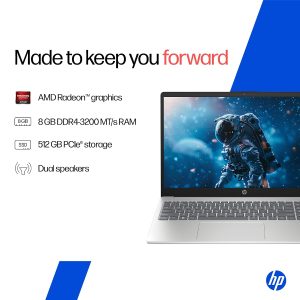
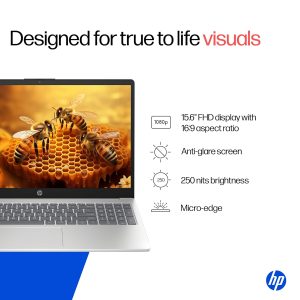


The HP 15 is the most budget-friendly option on this list, designed for buyers who want a dependable laptop for basic tasks without spending extra on features they may not need. It runs on an Intel Core 5-120U processor with 8GB of RAM.
Why We Recommend It
Not everyone needs a high-performance machine. If your daily use involves browsing, typing documents, checking emails, and watching videos, the HP 15 covers all of that comfortably. It is a sensible choice for first-time laptop buyers or anyone upgrading from a much older device.
Best For
First-time buyers, students on a tighter budget, and users who need a laptop mainly for basic office work, browsing, and study purposes.
Key Features
- Intel Core 5-120U processor
- 8GB RAM
- 512GB SSD
- Windows 11 pre-installed
- Backlit keyboard
- Office Home 2024 included
Why It Stands Out
While the HP 15 has less RAM than the other laptops on this list, it still includes a fast 512GB SSD, which is often more important for everyday speed than extra RAM. The SSD ensures quick boot-up times and fast file access, so the laptop never feels sluggish for basic tasks. If your budget is tight and you mainly need a laptop for typing, browsing, and light study or office work, the HP 15 offers solid value without unnecessary extras.
5. HP Victus
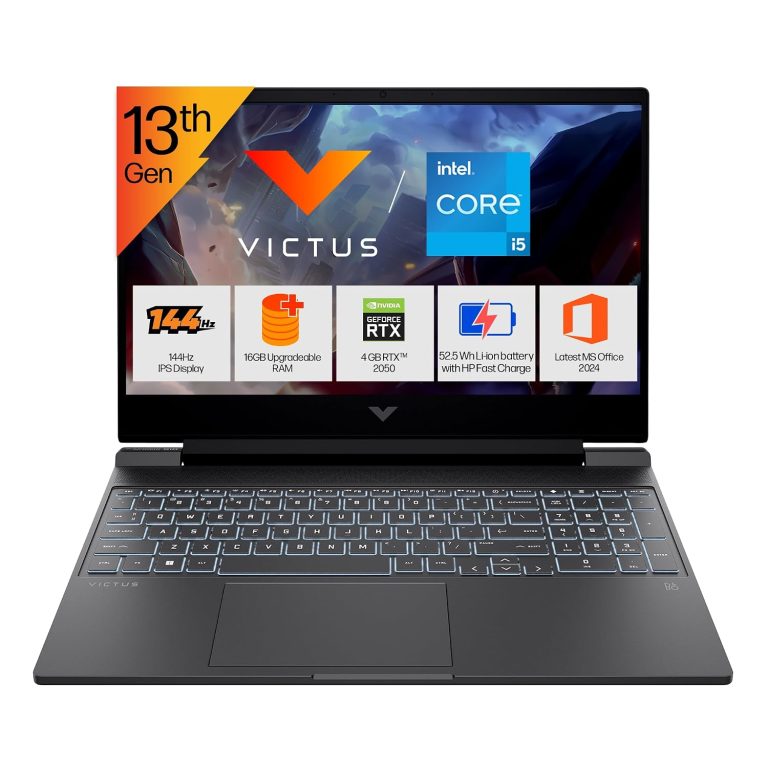
HP Victus, 13th Gen Intel Core i5-13420H, 4GB RTX 2050, 16GB DDR4 (Upgradeable) 512GB SSD, 144Hz, IPS, 300 nits, FHD, 15.6''/39.6cm, Win11, M365* Office24, Mica Silver, 2.3kg, fa2703tx Gaming Laptop


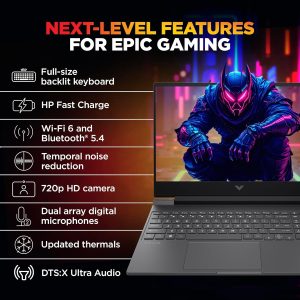

The HP Victus rounds off this list as the most powerful option, built for people who need extra graphics performance. It comes with an Intel Core i5-13420H processor along with a dedicated RTX 2050 graphics card, a rare combination at this price point.
Why We Recommend It
If your work involves video editing, graphic design, or occasional gaming, a dedicated GPU makes a real difference. The RTX 2050 handles tasks like rendering, photo editing, and light video editing far better than laptops relying only on integrated graphics. The 144Hz display also adds a noticeably smoother visual experience.
Best For
Content creators, video editors, digital marketing students working with design tools, and anyone who wants to enjoy light gaming alongside daily productivity work.
Key Features
- Intel Core i5-13420H processor
- 16GB RAM
- RTX 2050 dedicated graphics
- 512GB SSD
- 144Hz display
- Windows 11 with Office Home 2024
Why It Stands Out
What sets the HP Victus apart is the dedicated RTX 2050 GPU, which is uncommon in the sub-₹70,000 range. This makes it a strong pick for content creators who edit photos or short videos, or students learning tools like Photoshop, Premiere Pro, or Canva at a more advanced level. The 144Hz display further enhances the experience, making everything from scrolling to video playback feel fluid. For anyone who wants a laptop that goes beyond basic office work and into creative territory, this is the clear choice on this list.
Buying Guide: How to Choose the Right Laptop
Choosing the best laptop under 70000 depends on how you plan to use it. Here is a simple breakdown to help you decide.
Processor Guide
The processor is the brain of your laptop. For everyday tasks like browsing and document work, an Intel Core i3 or entry-level Ryzen chip is enough. For smoother multitasking, coding, or light editing, aim for an Intel Core i5 (12th Gen or newer) or AMD Ryzen 5. Newer generation chips, even with the same name, usually perform better and last longer before feeling outdated.
RAM Guide
RAM affects how many things you can do at once without slowdown. 8GB is the minimum for basic use today. If you plan to keep many browser tabs open, use editing software, or run multiple apps together, 16GB is a much safer and more future-proof choice.
SSD Guide
An SSD (Solid State Drive) makes your laptop boot faster and load applications quicker compared to older hard drives. For most users, 512GB SSD is more than enough. If you deal with large files, videos, or design projects regularly, consider going up to 1TB.
Battery Guide
Battery life matters most for students and professionals who move around campus or between meetings. Laptops with efficient processors, like U-series Intel chips or AMD’s low-power Ryzen chips, generally offer better battery backup than H-series performance chips.
Display Guide
A Full HD (1920×1080) display is the standard you should look for. If you want a smoother visual experience, laptops with a 120Hz or 144Hz refresh rate feel noticeably better for scrolling and video playback compared to standard 60Hz screens.
Keyboard Guide
A backlit keyboard is a small but useful feature, especially if you work late at night or in dimly lit rooms. Most laptops on this list include one, which adds convenience without adding extra cost.
Choosing Based On Your Needs
For Office Work: Look for at least 8GB RAM, a 512GB SSD, and a reliable processor like Intel Core i5 or Ryzen 5. Pre-installed Office software is a bonus that saves setup time.
For Students: Prioritize portability and battery life. A lightweight laptop with 16GB RAM, like the Lenovo IdeaPad Slim 3, is ideal for carrying between classes and using for long study sessions.
For Content Creation: A dedicated GPU, like the RTX 2050 in the HP Victus, makes a real difference for photo editing, video editing, and design work. Pair it with 16GB RAM for smoother performance.
For Freelancing: Storage and multitasking ability matter most, since freelancers often juggle multiple client files and software. The Dell 15 SmartChoice, with its 1TB SSD, is well suited here.
For Digital Marketing Students: A balance of decent RAM, a fast SSD, and a smooth display helps with running multiple tools, browser tabs, and design software simultaneously. The ASUS Vivobook 15 or HP Victus are strong options depending on your budget for graphics-heavy work.
Frequently Asked Questions
1. What is the best laptop under 70000 in India right now?
Based on overall performance and value, the ASUS Vivobook 15 is currently one of the best laptops under ₹70,000, thanks to its 13th Gen processor, 16GB RAM, and fast SSD storage.
2. Which laptop under 70000 is best for students?
The Lenovo IdeaPad Slim 3 is a great choice for students because it is lightweight, has strong battery efficiency, and comes with 16GB LPDDR5 RAM for smooth multitasking during classes and study sessions.
3. Can I do video editing on a laptop under 70000?
Yes, light to moderate video editing is possible. The HP Victus, with its RTX 2050 dedicated graphics card, is the best option on this list for handling video editing and design software more smoothly.
4. Is 8GB RAM enough for a laptop in 2026?
8GB RAM is enough for basic tasks like browsing, typing, and watching videos. However, if you multitask frequently or use heavier software, 16GB RAM is recommended for a smoother experience.
5. Which laptop under 70000 has the best display?
The Dell 15 SmartChoice and HP Victus both offer better-than-average displays, with 120Hz and 144Hz refresh rates respectively, making scrolling and video playback noticeably smoother.
6. Are these laptops good for office work and Excel-heavy tasks?
Yes, all five laptops on this list come with at least 8GB RAM and fast SSD storage, which is sufficient for handling office work, spreadsheets, presentations, and video calls without lag.
7. Do these laptops come with Windows and Office pre-installed?
Yes, all five laptops mentioned in this guide come with Windows 11 and Office Home 2024 pre-installed, so you can start working right out of the box without additional software purchases.
8. Which laptop under 70000 is best for freelancers and content creators?
Freelancers who need more storage should consider the Dell 15 SmartChoice for its 1TB SSD, while content creators who need graphics performance should go for the HP Victus with its RTX 2050 GPU.
Final Verdict
Choosing the best laptop under 70000 really comes down to what you need it for. Here is a quick summary to make your decision easier:
- Best Overall: ASUS Vivobook 15 — a well-rounded laptop with a newer generation processor, solid RAM, and fast storage, suitable for almost any daily task.
- Best Value: HP 15 — a dependable, no-frills option for buyers who want reliable performance at the lowest price point on this list.
- Best Student Laptop: Lenovo IdeaPad Slim 3 — lightweight, efficient, and easy to carry around campus every day.
- Best Office Laptop: Dell 15 SmartChoice — large storage and a smooth 120Hz display make daily office tasks feel effortless.
- Best Creator Laptop: HP Victus — the only laptop here with a dedicated GPU, making it ideal for editing, design work, and light gaming.
Whichever laptop you choose from this list, you are getting genuine value for your money. All five options offer modern processors, fast SSD storage, and pre-installed software that gets you working from day one. Take a moment to think about your primary use case — office work, studying, freelancing, or content creation — and pick the laptop that matches it best.