
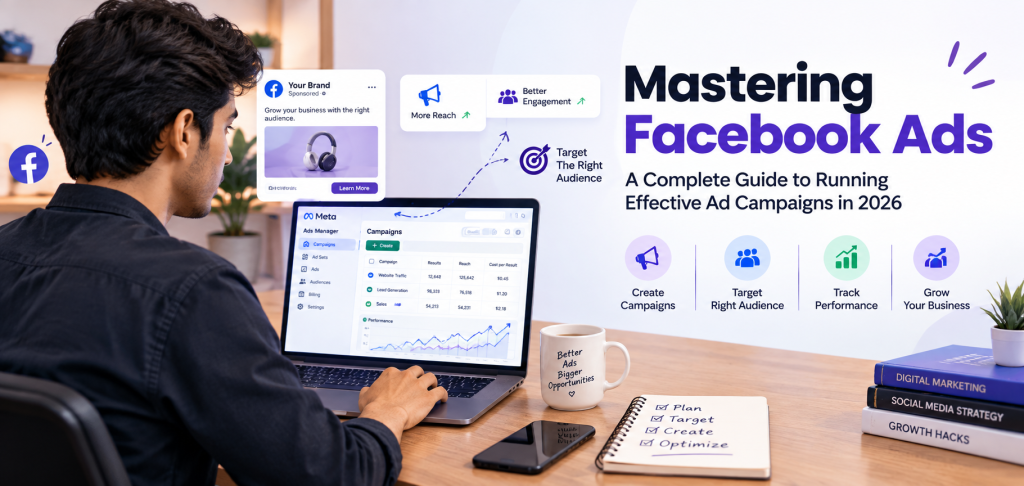
Most businesses start on Facebook the same way. They create a Page, post regularly, and wait for customers to notice. Some do. Many find that posting alone brings a trickle of attention, mostly from people who already know them.
Paid advertising changes the equation. Instead of hoping the right people find you, you can choose who sees your message, what you want them to do, and how much you’re willing to spend to get that result. That’s the promise behind Facebook Ads, and also the reason it’s easy to waste money when you don’t understand the mechanics.
So how can a business turn Facebook’s huge audience into real opportunities, such as enquiries, bookings or sales? It comes down to planning, testing and reading the data honestly. This guide walks through it step by step.
What Are Facebook Ads?
Facebook Ads are paid messages that appear in places like the Facebook Feed, Stories, Reels, Marketplace and the right column on desktop. Advertisers create them in a tool called Ads Manager, and they can also appear on Instagram and other Meta platforms.
Organic content is what you post on your Page for free. It reaches some followers, but you don’t control who sees it. Paid ads are distributed to audiences you define, toward a goal you choose.
The process is simple in concept:
- You pick an objective (for example, leads).
- You define an audience.
- You upload a creative with copy and a button.
- Facebook shows the ad to people it predicts are most likely to respond, and you pay based on your chosen setup.
A yoga studio might post class photos organically. It could then run an ad, aimed at people within five kilometres, offering a free trial class.
How Do Facebook Ads Work?
Think of the process as a chain:
Business Goal → Campaign Objective → Audience → Ad Creative → Budget → Ad Auction → Ad Delivery → Measurement → Optimization
Each account is organized into three levels:
- Campaign: the objective (sales, leads, traffic).
- Ad set: the audience, budget, schedule, placements and how you want to optimize.
- Ad: the visual, text, headline and call to action.
Every time someone opens the app, an ad auction runs. Facebook doesn’t just choose the highest bid. It weighs your bid, how likely the person is to take your desired action, and the quality of your ad. That’s why a relevant ad can outperform a bigger budget.
Example: A bakery creates a campaign for “Leads.” One ad set targets local couples aged 25–35 planning weddings, with a daily budget. Inside it are three ads: a cake photo, a short video, and a carousel of designs. Facebook tests them and gradually delivers more of whichever gets better responses.
Placements are where the ad appears. Bidding tells Facebook how to spend your money. Optimization is the system learning who is likely to convert, plus your own adjustments.
Why Are Facebook Ads Important in 2026?
Facebook advertising remains relevant for a practical reason: it puts your message in a place where people already spend time, and it lets you measure what happens next.
- Targeted advertising. You can reach specific locations, age groups and interests, and reconnect with people who’ve already engaged.
- Lead generation and e-commerce. Ads can drive enquiry forms, messages and product purchases.
- Brand awareness. Video and Reels help new audiences discover you.
- Retargeting. You can follow up with website visitors and video viewers.
- Customer acquisition. Businesses can test which messages attract buyers and at what cost.
- Mobile-first and video-first. Most people scroll on phones, so vertical, quick-loading video suits the environment.
- Data-driven marketing. You see costs and results, not just likes.
- AI-assisted workflows. Meta’s tools increasingly automate audience selection, placements and creative variations.
One trend worth knowing about: in 2026, Meta’s automation (branded as Advantage+) makes more decisions than it used to. Manual interest targeting still exists, but Meta often treats it as guidance rather than a strict rule. That doesn’t make marketers unnecessary. It shifts the work toward creative quality, offers and accurate tracking.
Facebook Ads vs Organic Facebook Marketing
| Organic Facebook Marketing | Facebook Ads | |
|---|---|---|
| Distribution | Free, limited reach | Paid, controlled |
| Purpose | Community, trust, consistency | Specific campaign goals |
| Audience | Mostly existing followers | Defined target groups |
| Speed | Gradual | Faster exposure |
| Measurement | Engagement | Objective-based performance |
You don’t need to choose. Organic posts build credibility and show new visitors that your business is real. Ads extend the reach of what works. A Page that looks abandoned weakens even a good ad, and a great Page without ads grows slowly.
Facebook Ads Campaign Objectives
An objective tells Facebook what result to optimize for. The main ones:
| Objective | What it means | Who might use it | Typical goal | Example |
|---|---|---|---|---|
| Awareness | Show ads to people likely to remember them | New brands, product launches | Reach and recall | A new juice brand introduces itself locally |
| Traffic | Send people to a site or app | Blogs, publishers, stores | Website visits | A travel blogger promotes a guide |
| Engagement | Drive interactions or messages | Community builders, service businesses | Comments, video views, chats | A salon gets WhatsApp enquiries |
| Leads | Collect contact details | Coaches, agencies, real estate | Enquiries, sign-ups | A tutor gathers demo class bookings |
| App promotion | Encourage installs or in-app actions | App developers | Installs, sign-ups | A fitness app seeks new users |
| Sales | Drive purchases | E-commerce stores | Orders and revenue | A shoe store promotes a new collection |
The objective should reflect your real goal. If you want purchases but choose traffic, Facebook may find people who click a lot but rarely buy.
Understanding Facebook Ads Manager
Ads Manager is the dashboard where you create, edit and track your campaigns. As a beginner, focus on these areas:
- Campaigns, Ad Sets and Ads tabs: the three levels you’ll navigate daily.
- Audiences: where you save custom audiences, lookalikes and location groups.
- Billing: where you manage payment methods and view spend and invoices.
- Reporting: where you build views by date, placement, age and more.
- Performance metrics: columns for cost, clicks, conversions and more, which you can customize.
The interface changes regularly, so labels may look slightly different in your account. The logic, however, stays the same.
How to Define Your Target Audience
Audience research is one of the most important parts of Facebook Ads targeting. A big audience is not automatically a good one. The right audience is the group that actually needs what you offer.
Building blocks:
- Age, gender, location and demographics: the basics.
- Interests and behaviors: topics people engage with and actions they take online.
- Custom Audiences: people who already know you, such as website visitors, customer lists and video viewers.
- Lookalike Audiences: people who resemble your existing customers.
- Retargeting: showing ads to people who showed interest but didn’t act.
Example: A brand selling ergonomic office chairs might target remote workers aged 25–45 in metro cities. The reason isn’t simply “they use chairs.” They spend long hours seated and have a clear back-pain problem. A retargeting audience would then include people who viewed a product page in the last 14 days.
How to Create a High-Performing Facebook Ad
1. Hook. People decide in a second or two. Open with a question, a relatable problem or an unexpected visual.
2. Visual. Use clear, on-brand images or video. Vertical, Reels-style creative usually suits mobile viewing. Keep text and logos away from the edges so they aren’t hidden by interface elements.
3. Ad copy. State the problem, the benefit and the solution in plain words. Skip filler.
4. Value proposition. Answer “Why should I care?” A specific benefit such as “Live weekend classes for working professionals” beats “Best classes in town.”
5. Call to action. Learn More, Shop Now, Sign Up, Get Started or Contact Us. Match it to your objective. A “Shop Now” button on a lead form makes little sense.
Facebook Ad Formats
- Image ads: one photo with text. Useful for simple offers. Example: a bookstore promoting a bestseller.
- Video ads: short clips showing a product or story. Useful for demos and explanations. Example: a cooking brand showing a 20-second recipe.
- Carousel ads: several swipeable cards. Useful for multiple products or step-by-step stories. Example: a clothing brand showing four outfits.
- Collection ads: a lead visual with product tiles. Useful for online stores with many items. Example: a home décor shop linking a room photo to shoppable products.
- Stories ads: full-screen vertical ads. Useful for quick, immersive messages. Example: a café promoting a weekend offer.
- Reels placements: vertical video between Reels. Useful for reaching entertainment-minded viewers. Example: a fitness coach sharing a short workout.
- Lead ads: built-in forms so people don’t leave Facebook. Useful for enquiries and bookings. Example: a dentist collecting appointment requests.
Formats and specifications change, so check Meta’s official ad guide before producing creative.
Facebook Ads Funnel
Awareness → Interest → Consideration → Conversion → Retargeting
Different stages call for different messages:
- Awareness: short videos and useful tips for cold audiences.
- Interest: content that shows your expertise.
- Consideration: reviews, demos, comparisons and FAQs.
- Conversion: a clear offer and direct call to action.
- Retargeting: reminders for people who visited or engaged but didn’t act.
Example: An online store selling handmade candles runs a short video about how the candles are made. People who watch most of it later see customer reviews. Those who visit the store but don’t buy are shown a limited-time free-shipping offer.
Facebook Ads Budgeting for Beginners
- Daily budget: an average amount spent each day.
- Lifetime budget: a total amount spread over the campaign’s duration.
- Testing budget: a modest amount used to learn what works before committing more.
- Budget allocation: how spend is divided across campaigns, ad sets or funnel stages.
- Scaling: increasing spend gradually on ads that show promise.
Test before you scale. If you increase spend on something you don’t yet understand, you simply lose money faster. Results depend on many factors, including the audience, creative, offer, landing page, competition, campaign objective, market and tracking. That’s why there’s no honest way to say what a specific budget will return.
Important Facebook Ads Metrics
| Metric | What does it mean? | Why should a marketer care? |
|---|---|---|
| Reach | Unique people who saw the ad | Shows how many individuals you touched |
| Impressions | Total times the ad was shown | Indicates overall exposure |
| CTR | Percentage of viewers who clicked | Signals how appealing the ad is |
| CPC | Average cost per click | Shows traffic efficiency |
| CPM | Cost per 1,000 impressions | Reflects audience competition |
| Frequency | Average times one person saw it | High values can signal fatigue |
| Conversion rate | Share of visitors who complete the goal | Reveals page and offer strength |
| Cost per lead | Spend divided by leads | Key for lead generation |
| Cost per purchase | Spend divided by sales | Key for e-commerce |
| ROAS | Revenue divided by ad spend | Shows profitability |
Practical example: Suppose you spend ₹5,000 and get 10 leads. Your cost per lead is ₹500. If only one of those leads becomes a customer, you’ll want to look at lead quality, not just cost. A cheap lead isn’t automatically a good one.
A/B Testing Facebook Ads
Testing helps you learn what your audience actually responds to, rather than guessing. You can test:
- Headlines
- Images
- Videos
- Ad copy
- CTAs
- Audiences
- Landing pages
Change one variable at a time. If you change the image, headline and audience together, you won’t know which change caused the result. A simple plan is to keep the same audience and copy, run two different visuals, and let each gather enough data before choosing a winner.
Common Facebook Ads Mistakes Beginners Make
| Mistake | Practical solution |
|---|---|
| Targeting everyone | Define a specific customer and their problem |
| Wrong objective | Match the objective to the real business goal |
| Weak ad creative | Use clear, relevant, mobile-friendly visuals |
| Poor copy | Focus on one problem, one benefit, one action |
| Ignoring the customer journey | Plan different ads for different stages |
| Not tracking conversions | Set up the Meta Pixel and Conversions API correctly |
| Testing too many things at once | Change one variable at a time |
| Deciding too quickly | Allow enough time and data before judging |
| Ignoring landing page experience | Make pages fast, clear and consistent with the ad |
| Focusing only on clicks | Track leads, purchases and cost per result |
| Raising budget without analysis | Increase gradually after stable results |
| Skipping retargeting | Re-engage warm audiences when appropriate |
How AI Is Changing Facebook Advertising in 2026
AI can help marketers with:
- Drafting ad copy and headlines
- Generating creative ideas and variations
- Speeding up audience and competitor research
- Analyzing performance data
- Suggesting tests
- Automating repetitive tasks and surfacing campaign insights
Meta’s own tools also generate creative variations and automate delivery. That’s useful, but AI doesn’t know your customers’ real objections, your profit margins or your brand’s voice. AI can assist, but strategy, customer understanding, critical thinking, testing and decision-making remain human skills. Better inputs produce better outputs, and someone still needs to question the results.
Why Learning Facebook Ads Is an Important Digital Marketing Skill
Facebook Ads knowledge is useful in digital marketing jobs, freelancing, agency work, e-commerce, lead generation, personal businesses, client campaigns and performance marketing in general.
Creating an ad is only the first step. A skilled marketer also understands:
- Audience research
- Campaign strategy
- Copywriting
- Creative strategy
- Budgeting
- Conversion tracking
- Analytics
- A/B testing
- Optimization
- Reporting
These abilities are transferable across platforms. No skill can promise a job, clients or income, but real, demonstrable competence is what employers and clients tend to value.
[CTA PLACEHOLDER – Continue Learning Facebook Ads]
How to Start Learning Facebook Ads
- Learn digital marketing fundamentals. Understand funnels, branding and customer behavior.
- Understand Facebook’s advertising ecosystem. See how Facebook, Instagram and Meta’s tools connect.
- Learn Ads Manager. Explore each tab and create a draft campaign without publishing.
- Understand campaign objectives. Practice choosing objectives for different business scenarios.
- Learn audience targeting. Build sample audiences for imaginary businesses.
- Practice copywriting and creative strategy. Collect ads you find effective and note why they work.
- Learn the key metrics. Know what each number means and how they connect.
- Understand conversion tracking. Learn how the Pixel and Conversions API work.
- Practice with small campaigns or realistic case studies. Use a small budget for a real project, or a mock one.
- Analyze results and improve. Ask why something worked or failed.
- Create portfolio projects. Document the goal, strategy, creative and outcome honestly.
Facebook Ads Best Practices
- Start with a clear objective.
- Understand your audience.
- Use relevant creatives.
- Write concise copy.
- Match the CTA to the goal.
- Test variations, one at a time.
- Monitor performance regularly.
- Track conversions accurately.
- Analyze data before acting.
- Optimize campaigns steadily.
- Improve landing pages.
- Use retargeting where appropriate.
- Keep learning, since the platform changes often.
Conclusion
Mastering Facebook Ads isn’t about designing a nice graphic and spending a budget. It’s about how these pieces fit together:
People + Audience + Creative + Strategy + Data + Testing + Optimization
As digital advertising becomes more competitive and more automated, marketers who understand why a campaign works will keep an advantage over those who only know which buttons to press. Start small, stay curious, and treat every campaign as a chance to learn something about your audience.
FAQs
1. What are Facebook Ads?
Paid promotions shown to selected audiences across Facebook (and often Instagram), created and managed in Ads Manager.
2. How do Facebook Ads work?
You choose an objective, audience, creative and budget. Facebook runs an auction and shows your ad to people likely to respond, then reports the results.
3. Are Facebook Ads and Meta Ads the same?
Largely, yes. Meta is the parent company, and “Meta Ads” is the broader term covering Facebook, Instagram and other placements managed through the same system.
4. How much does it cost to run Facebook Ads?
There is no fixed price. Costs depend on your audience, industry, competition, location and creative quality. Many beginners start with a small test budget.
5. Can beginners learn Facebook Ads?
Yes. Learn the basics, explore Ads Manager, and practice with small campaigns.
6. How long does it take to learn Facebook Ads?
The basics can take a few weeks. Real confidence with strategy, tracking and optimization usually takes months of practice.
7. What skills are needed to become a Facebook Ads specialist?
Audience research, copywriting, creative thinking, campaign setup, conversion tracking, analytics, A/B testing, budgeting and reporting.
8. Are Facebook Ads useful for small businesses?
Often, yes, especially for local targeting and testing offers. Results still depend on the product, offer and follow-up.
9. What is Facebook Ads Manager?
The dashboard where you create, edit and track ads, manage audiences and billing, and view reports.
10. What is the difference between Facebook Ads and organic marketing?
Organic content is free but has limited reach. Ads are paid, targeted and measurable. Most businesses benefit from using both.