
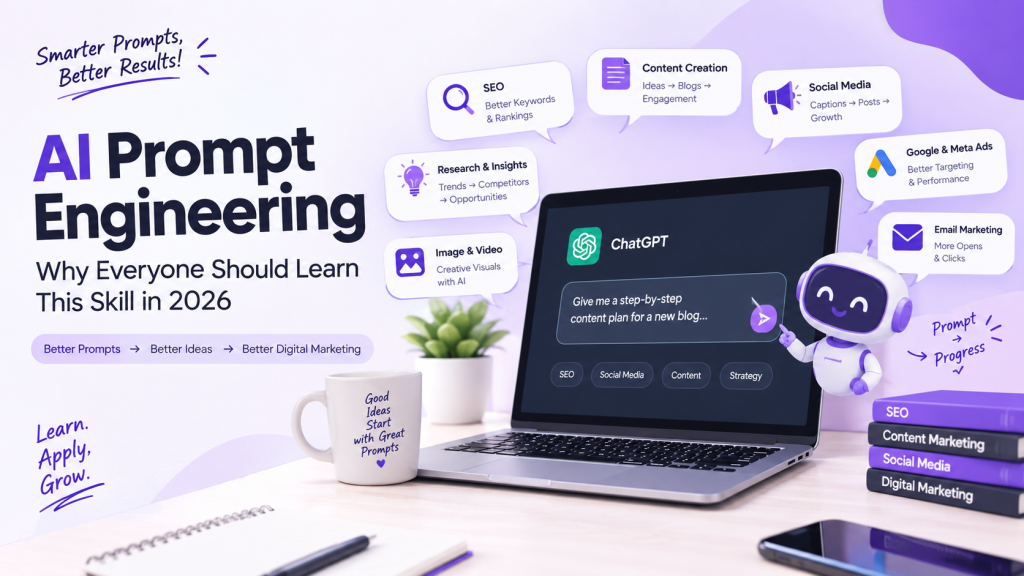
Prompt Engineering for Digital Marketing
This is where prompt engineering shows its real, everyday value. Let’s go use case by use case.
A. SEO
Good prompts can help you:
- Generate keyword and topic clusters to explore further in your keyword research tool
- Analyze likely search intent behind a keyword before you plan content
- Build content briefs with headings, subtopics, and FAQs
- Draft multiple title and meta description options to test
- Brainstorm FAQ sections based on common user questions
- Get a second opinion on how to structure a page for readability
- Compare your content angle against what competitors might be covering
AI won’t replace proper keyword research tools, but it’s a strong assistant for organizing your thinking before and after you pull the data.
B. Content Marketing
Prompts are useful for:
- Building blog outlines around a chosen topic
- Creating a month’s content calendar structure
- Generating multiple topic ideas within a niche
- Rewriting a paragraph in a different tone
- Repurposing one blog into multiple short-form pieces
C. Social Media Marketing
You can ask AI to help with:
- Caption variations for the same post
- Scroll-stopping hook ideas
- A week’s worth of post ideas around a theme
- Content calendar structures
- Messaging tailored to a specific audience segment
D. Google Ads / PPC
Prompt engineering can support:
- Ad copy variations for A/B testing
- Multiple headline options within character limits
- Audience persona brainstorming before targeting
- Campaign angle ideas for a new product or offer
E. Meta Ads
Useful for:
- Creative concept brainstorming
- Multiple ad copy variations for testing
- Hook ideas for video or carousel ads
- Identifying audience pain points to address in messaging
F. Email Marketing
AI can help draft:
- Subject line variations to test open rates
- A basic structure for a welcome or nurture email sequence
- Personalization angles based on customer segments
- CTA variations for different email goals
G. Market Research
Prompts are helpful for:
- Drafting customer persona questions
- Listing likely pain points for a target audience
- Structuring a competitor research framework
- Drafting survey or customer feedback questions
H. AI Image & Video Creation
When working with AI image or video tools, the prompt does even more heavy lifting, since there’s no back-and-forth conversation to clarify intent. A well-written prompt should communicate:
- Visual style (minimal, realistic, illustrated, etc.)
- Subject (what exactly should appear in the frame)
- Composition (how elements are arranged)
- Lighting (soft, natural, dramatic, and so on)
- Aspect ratio (square, vertical, widescreen)
- Camera angle (close-up, wide shot, top-down)
- Mood (calm, energetic, professional)
- Branding requirements (colors, fonts, logo placement)
Missing even two or three of these details is usually why AI-generated visuals come out looking generic or off-brand.
If you want to turn these concepts into practical AI workflows, structured prompt engineering training can help you apply them consistently instead of relying on guesswork each time: AI Prompt Engineering (Hindi) by iDigitalPreneur
Note: This is the same affiliate link mentioned earlier — shared here again for convenience.
Before vs After: How Better Prompts Improve AI Output
Here are a few real-world comparisons.
1. Social Media
 “Give me Instagram ideas.”
 “Act as a social media strategist. Create 10 Instagram content ideas for a digital marketing agency targeting small business owners in India. Include hook, format, caption angle, and CTA for each.”
Why it’s better: It defines the role, the business type, the audience, and the exact structure of the output.
2. SEO Content
“Write about email marketing.”
“Act as a content writer. Write a 1200-word beginner-friendly blog on email marketing basics, including subheadings, one real example, and a short FAQ section.”
Why it’s better: It sets a word count, audience level, and required elements.
3. Ad Copy
“Write a Facebook ad.”
“Write 5 Facebook ad headline variations for a skincare brand targeting women aged 25–35, focused on a limited-time discount. Keep each under 40 characters.”
Why it’s better: It includes audience, offer type, quantity, and a character limit.
4. Email Marketing
“Write a welcome email.”
“Write a welcome email for new subscribers of a digital marketing newsletter. Tone should be friendly and professional. Include one clear CTA to read our latest blog post.”
Why it’s better: It defines tone, purpose, and a single focused action.
5. Market Research
“Tell me about my competitors.”
“Act as a market research analyst. List 8 questions I should answer to analyze 3 competitors in the [your niche] space, covering pricing, messaging, and content strategy.”
Why it’s better: It turns a vague request into a usable research framework.
A Simple Framework for Writing Better AI Prompts
You don’t need a complicated system to write effective prompts. A simple five-part structure works well for most situations:
- Role – Who should the AI act as?
- Task – What exactly do you want it to do?
- Context – What background information matters?
- Requirements – Any specific details, tone, or constraints?
- Output format – How should the final result be structured?
Example for a digital marketer:
“Act as a content strategist (Role). Create a content calendar for a 2-week Instagram campaign (Task) for a home bakery launching a new dessert line (Context). Keep the tone fun and casual, and include festive-season relevance (Requirements). Present it as a table with date, post idea, and caption angle (Output format).”
That’s it. No need to overcomplicate it further.
Common Prompt Engineering Mistakes
Even with the right intent, people often run into the same avoidable issues:
- Vague instructions – “Make this better” without saying what “better” means
- Missing context – Not mentioning the industry, audience, or goal
- No target audience – Leaving AI to guess who the content is for
- Unclear output format – Not specifying length, structure, or style
- Asking too many unrelated things at once – Mixing five different requests in one prompt
- Blindly trusting AI output – Treating the first response as final
- Not reviewing AI output – Skipping fact-checking or tone adjustments
- Not providing examples when needed – Especially for tone-sensitive or brand-specific content
Avoiding these mistakes alone puts you ahead of most casual AI users.
Prompt Engineering + Human Skills
Here’s something worth remembering: AI doesn’t replace human judgment.
Even the best-written prompt still needs a human to:
- Set the overall strategy
- Bring creativity and original thinking
- Apply critical thinking to evaluate the output
- Fact-check claims and data
- Understand brand voice and positioning
- Understand the actual audience beyond assumptions
- Edit and refine the final draft
- Make the final call on what gets published
The most effective workflow looks like this:
Human strategy → AI assistance → Human review → Final output.
AI speeds up the “getting started” and “generating options” part of the work. The thinking, judgment, and quality control still come from you.
Can Prompt Engineering Help Your Career?
Used realistically, yes — prompt engineering can be a useful, complementary skill across several fields:
- Digital marketing – faster research and content production
- SEO – quicker content briefs and optimization ideas
- Content writing – more efficient first drafts
- Social media management – faster idea generation
- Graphic design – better AI-assisted visual concepts
- Business roles – faster reports, summaries, and planning
- Research work – structured, organized analysis
- Freelancing – handling more work in less time
That said, it’s important to stay realistic. Prompt engineering is a supporting skill, not a guaranteed path to a job or a fixed income. It works best when combined with actual subject-matter knowledge in your field — marketing skills, writing skills, design skills, or business understanding.
How Can a Beginner Learn Prompt Engineering?
If you’re starting from zero, here’s a practical, step-by-step roadmap:
Step 1 – Understand AI basics Get familiar with what large language models can and cannot do.
Step 2 – Learn prompt structure Start using the Role–Task–Context–Requirements–Output format mentioned earlier.
Step 3 – Practice with ChatGPT, Claude, or similar tools Use real, everyday tasks from your work or studies to practice.
Step 4 – Experiment with different prompts Try rewording the same request in different ways and compare results.
Step 5 – Learn role, context, and output instructions in depth Understand how small changes in wording affect the response.
Step 6 – Build real workflows Create repeatable prompt templates for tasks you do often.
Step 7 – Apply prompts to your profession Adapt everything you learn to your specific field — marketing, writing, design, or business.
Step 8 – Review and improve outputs continuously Treat every AI response as a draft, not a final answer.
If you want to go beyond experimenting with random prompts and learn prompt engineering in a structured way, a dedicated beginner-friendly course can make the learning process easier. One option worth checking out is the AI Prompt Engineering (Hindi) course by iDigitalPreneur, which is designed for beginners and includes 21 lessons across approximately 3.65 hours of content. It covers topics such as AI and prompt engineering basics, prompting techniques, the RACE framework, system prompts, building custom AI assistants, professional prompting, visual prompting, and practical AI workflow and automation concepts.
Ready to become more confident with AI? If you want a structured starting point, you can explore the course here: AI Prompt Engineering (Hindi) by iDigitalPreneur
Note: This is an affiliate link. If you enroll through it, I may earn a commission at no extra cost to you.